
Atlassian announced that the Labels Gadget, along with four other dashboard gadgets, will be removed from May 2025.
In response to this change, we have developed an alternative gadget, a drop-in replacement for the Labels Gadget as part of our app, Advanced Label Manager for Jira.
-
Go to a Jira dashboard and click edit
-
Then click on Add Gadget
-
Search for Labels (Advanced Label Manager) and click Add
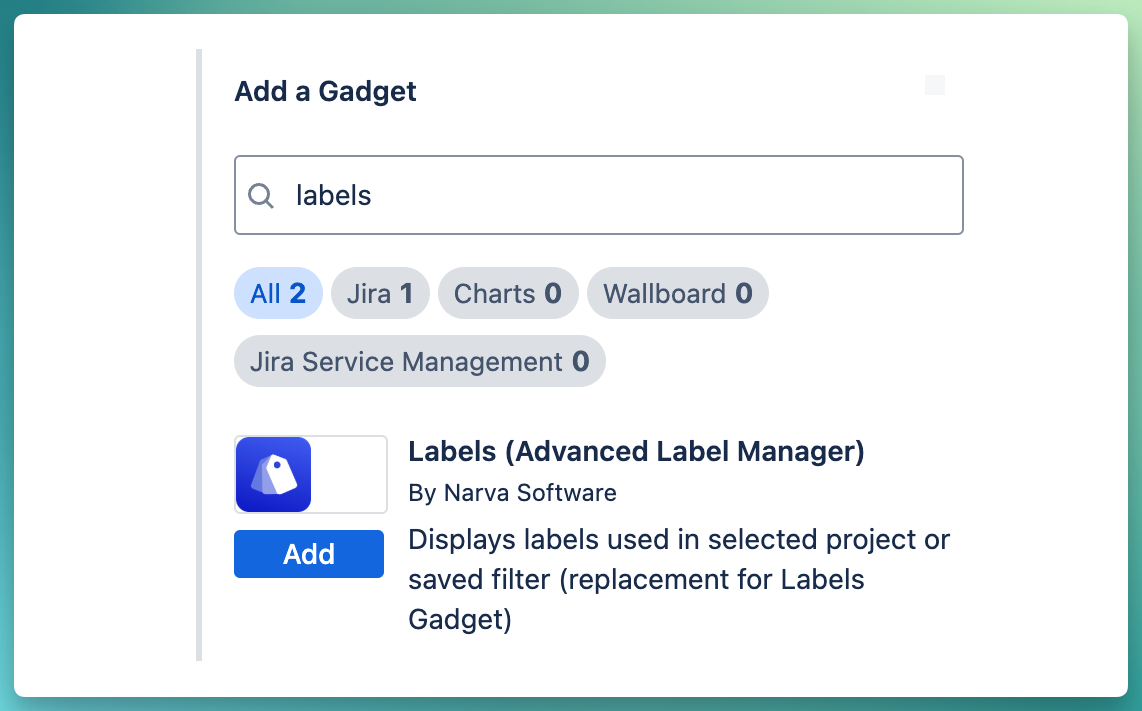
If you do not see the gadget above, please ensure that you have installed the Advanced Label Manager.
-
Select a project or a filter and label field. Jira default field is named “Labels”.
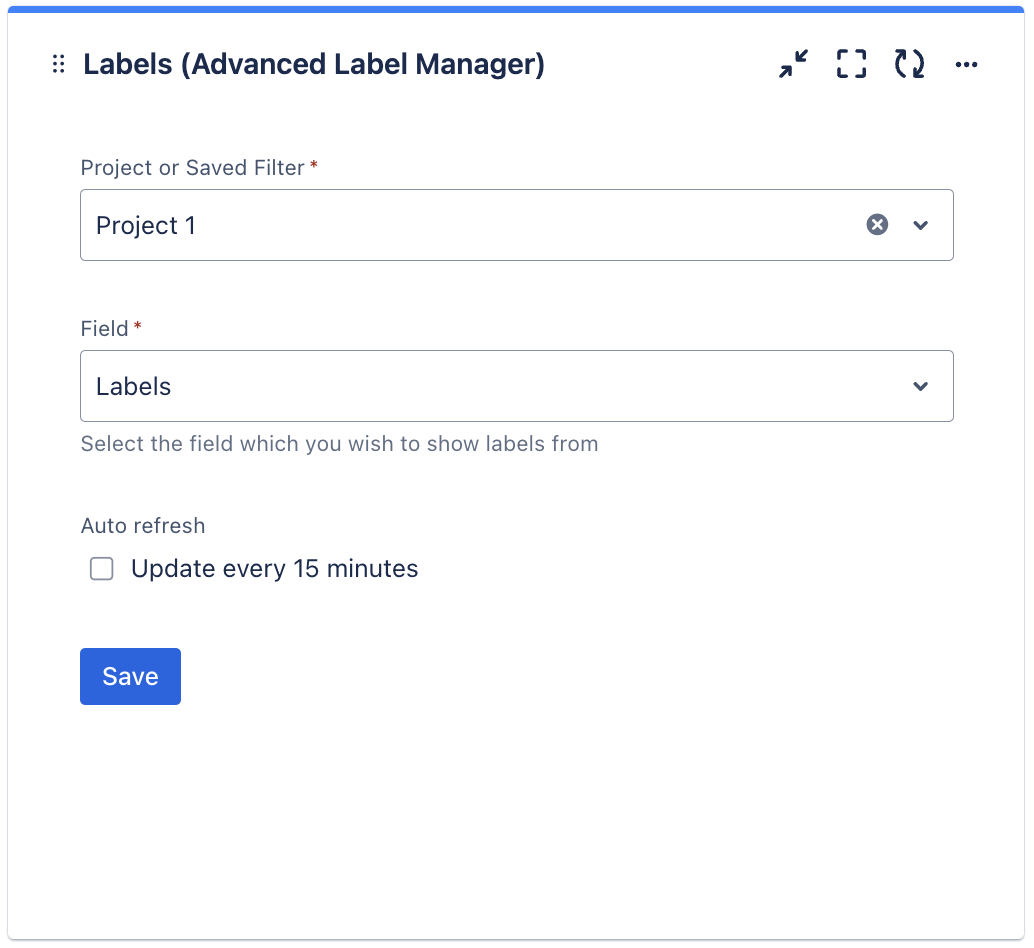
Unlike default Labels Gadget, this gadget also supports saved filter along side project.
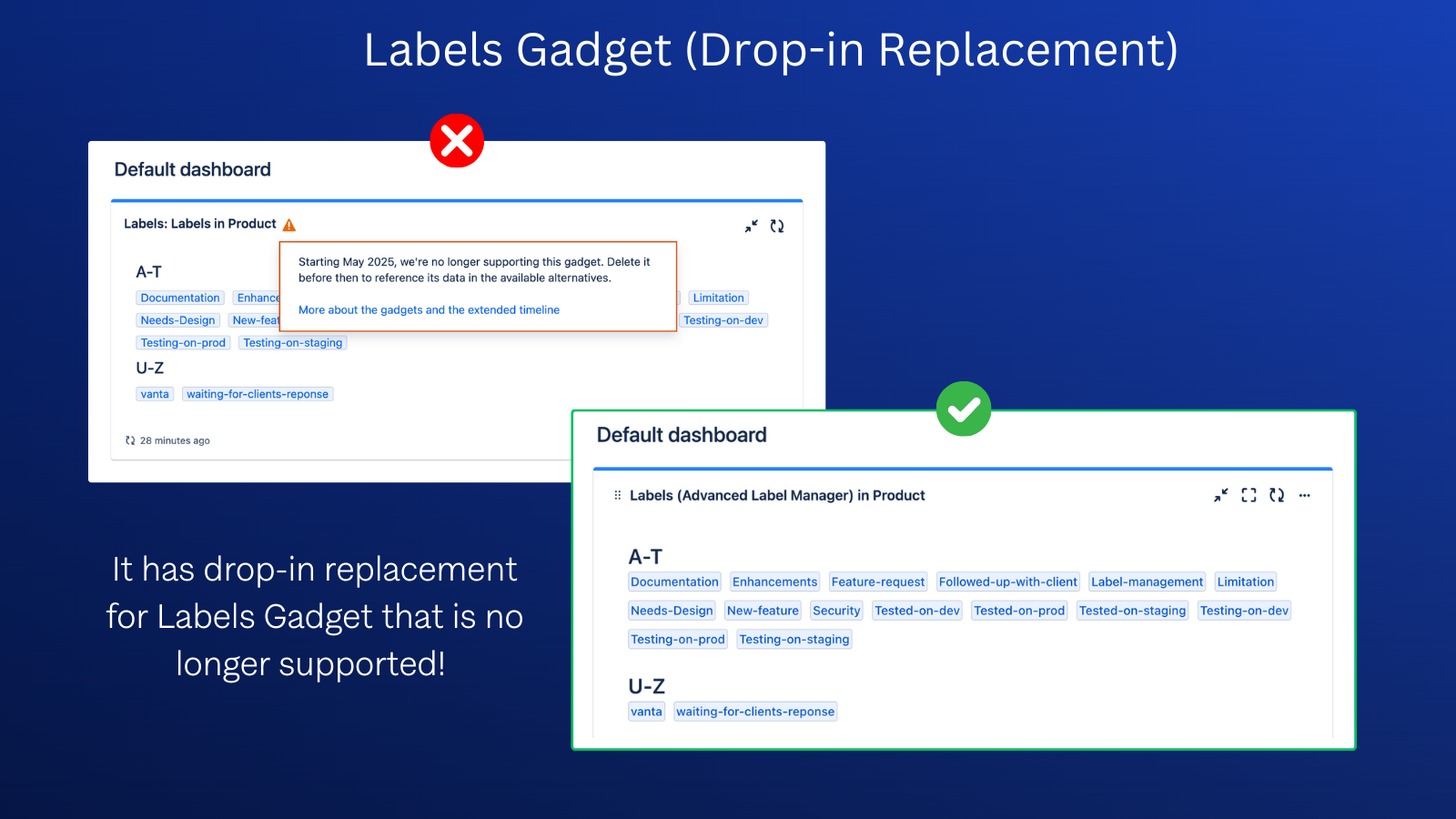
How to migrate from the current Labels Gadget?
Currently, there is no automatic migration path, so it has to be done manually. You can simply remove the old gadget and add Labels Gadget from the app.