
Mermaid app by Narva Software - create flowcharts, sequence diagrams, ER diagrams, Gantt charts and more directly in Confluence, written as plain text using Mermaid syntax.
Installing the app
-
Go to the Marketplace listing: https://marketplace.atlassian.com/apps/2563578593/mermaid?hosting=cloud&tab=overview
-
Click Get it now and follow the steps
-
Once installed, the macro is available on any page in your site — no further setup required.
Adding a diagram to a page
-
Open a Confluence page for editing.
-
Type
/mermaid(or open the Insert menu → Other macros → search "Mermaid"). -
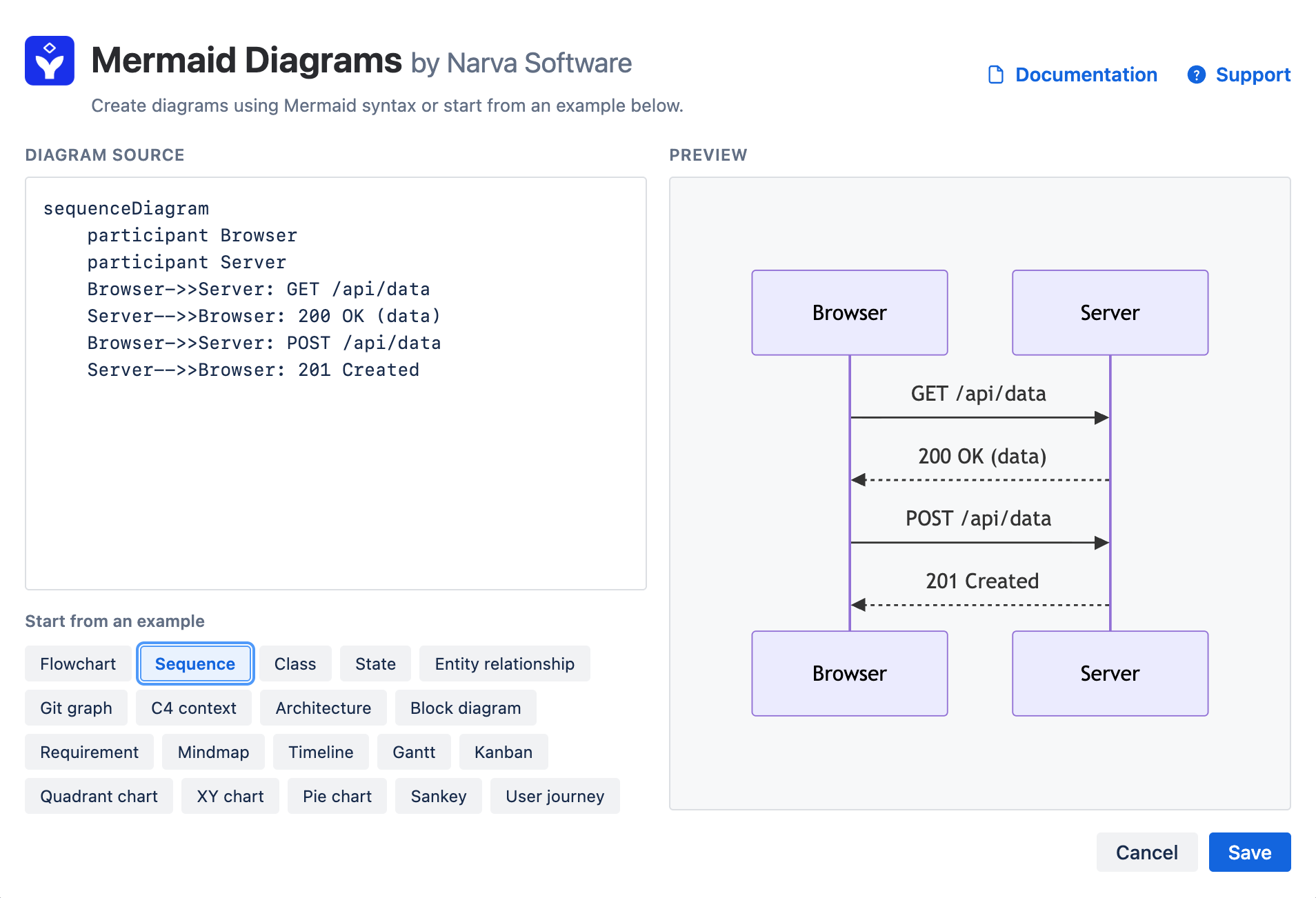
Select the Mermaid Diagrams macro to open the editor.
-
Pick a starting point:
-
Choose a template from the dropdown (Flowchart, Sequence, Class, State, ER, Gantt, Pie, or User Journey) and click Insert example, or
-
Write your own diagram from scratch in the Diagram source panel.
-
-
Watch the Preview panel update live as you type. Syntax errors are shown inline so you know exactly what to fix.
-
Click Save to insert the diagram into the page, then publish the page as usual.
Editing an existing diagram
Hover over the diagram on the page, click the pencil (edit) icon on the macro, make your changes in the editor, and click Save again.
Example: a simple flowchart
flowchart TD
    A[Start] --> B{Is it working?}
    B -->|Yes| C[Ship it]
    B -->|No| D[Debug]
    D --> B
Tips
-
Diagrams automatically match Confluence's light or dark theme — nothing to configure.
-
Nothing leaves your browser: diagrams are rendered entirely client-side, not sent to any external service.
-
Need more diagram types or syntax help? See the official Mermaid syntax reference.
Support
Questions or issues? Contact Narva Software via the support portal.