
If you use Git to version control your OpenAPI specifications, you can utilize Bitbucket repository as source to keep the API documentations in Confluence always in sync.
Setup Bitbucket Access Tokens
In order to use Bitbucket as source, you need to set up access first. This app requires repository access tokens.
Create Access Token:
-
Go to Bitbucket repository where OpenAPI specification is stored
-
Click Repository settings → Security → Access tokens
-
Create access token by giving name and expiry date (you need to renew this token once a year)
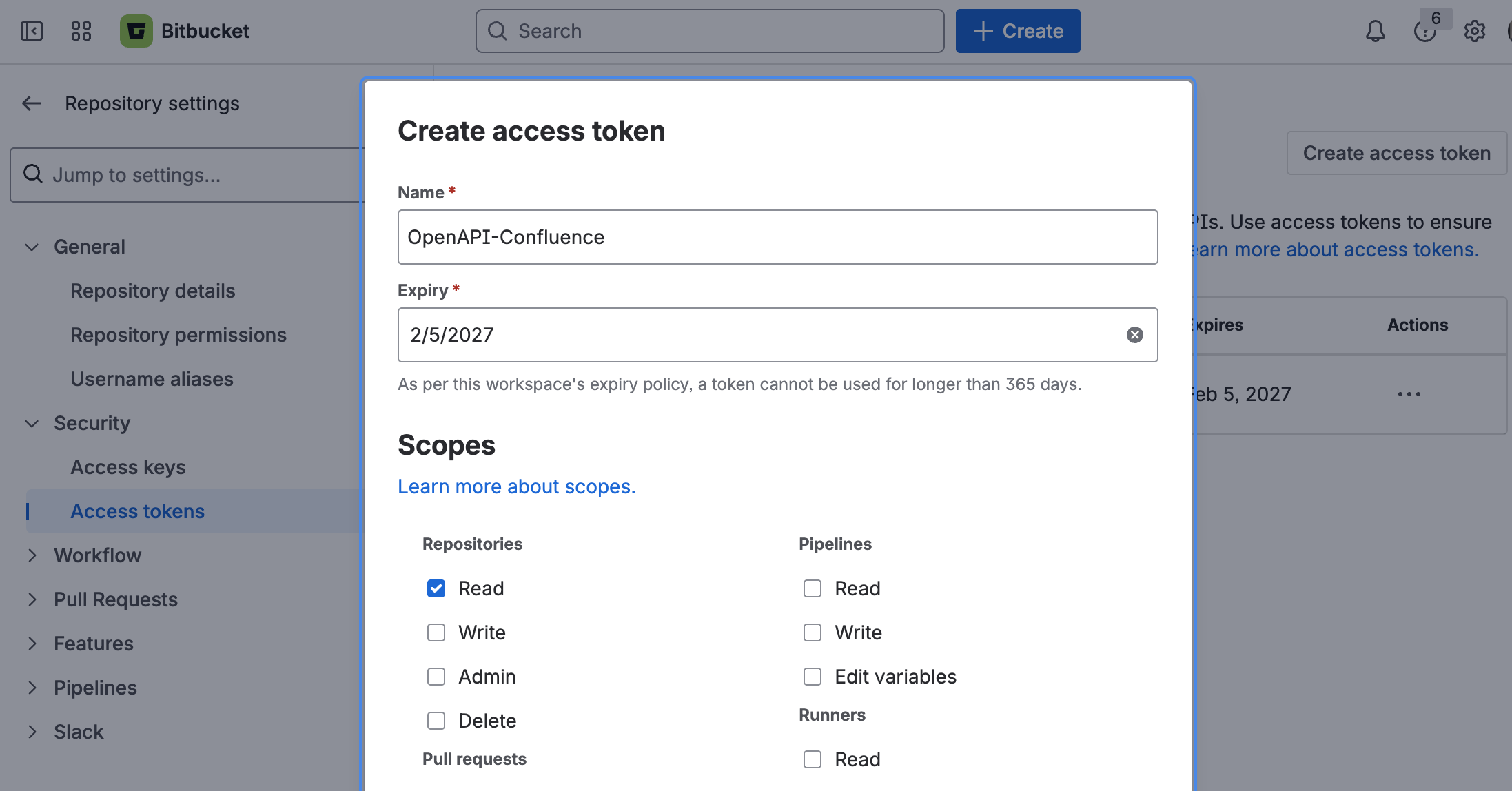
This app only requires repository Read permission, and this will be limited to the current repository. Once created, copy the access token and go back to app in Confluence.
Save Access Token:
You can now save the copied access token to app settings.
-
Go to Confluence Administration → Apps → OpenAPI Git/Bitbucket Integration
-
Give the access token readable a name and save the token
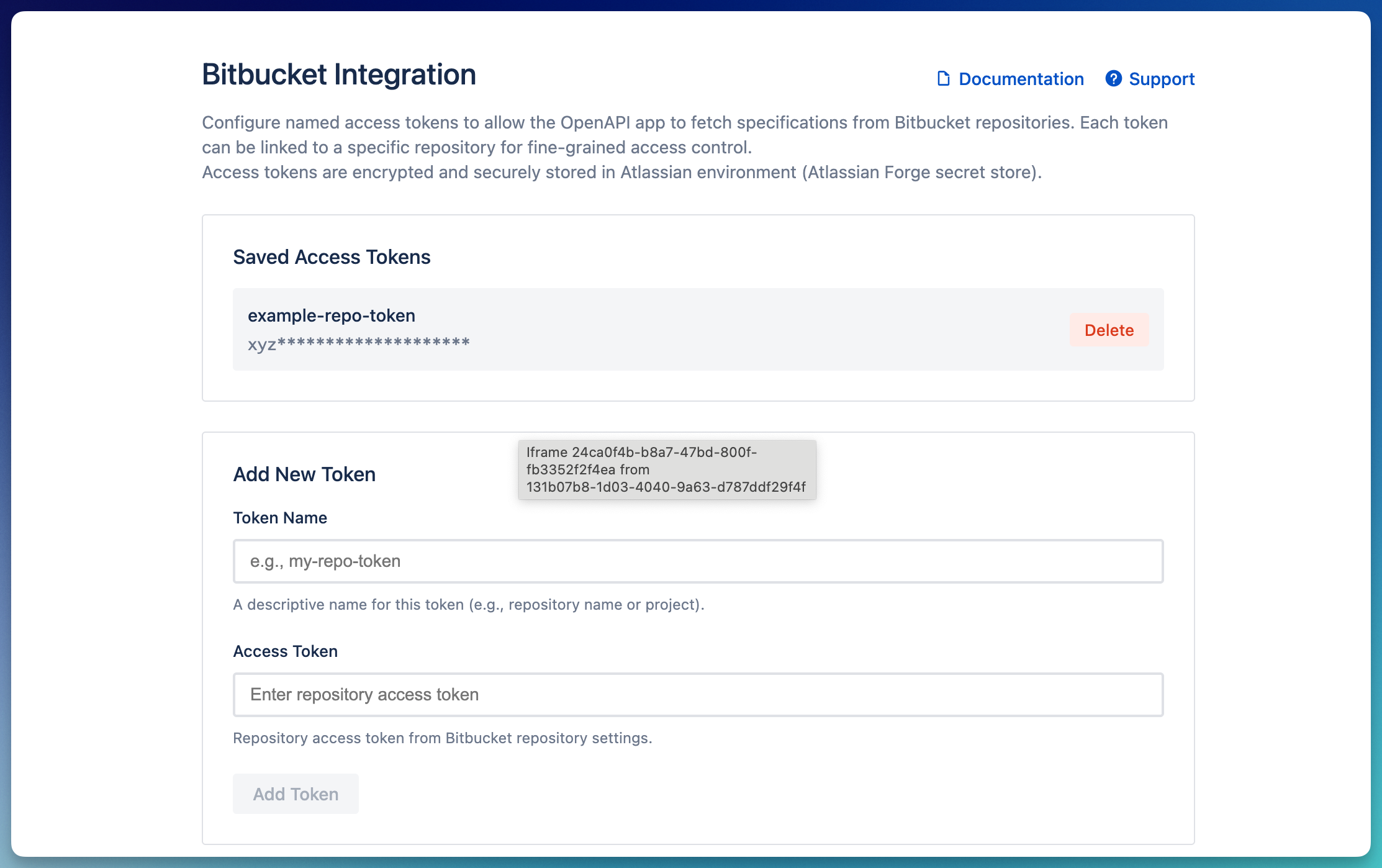
Access tokens are encrypted and stored securely in Atlassian Forge secret store.
Use Bitbucket as Source:
Once setup is complete, you can go to a page and use the macro with Bitbucket as source.
-
Hit
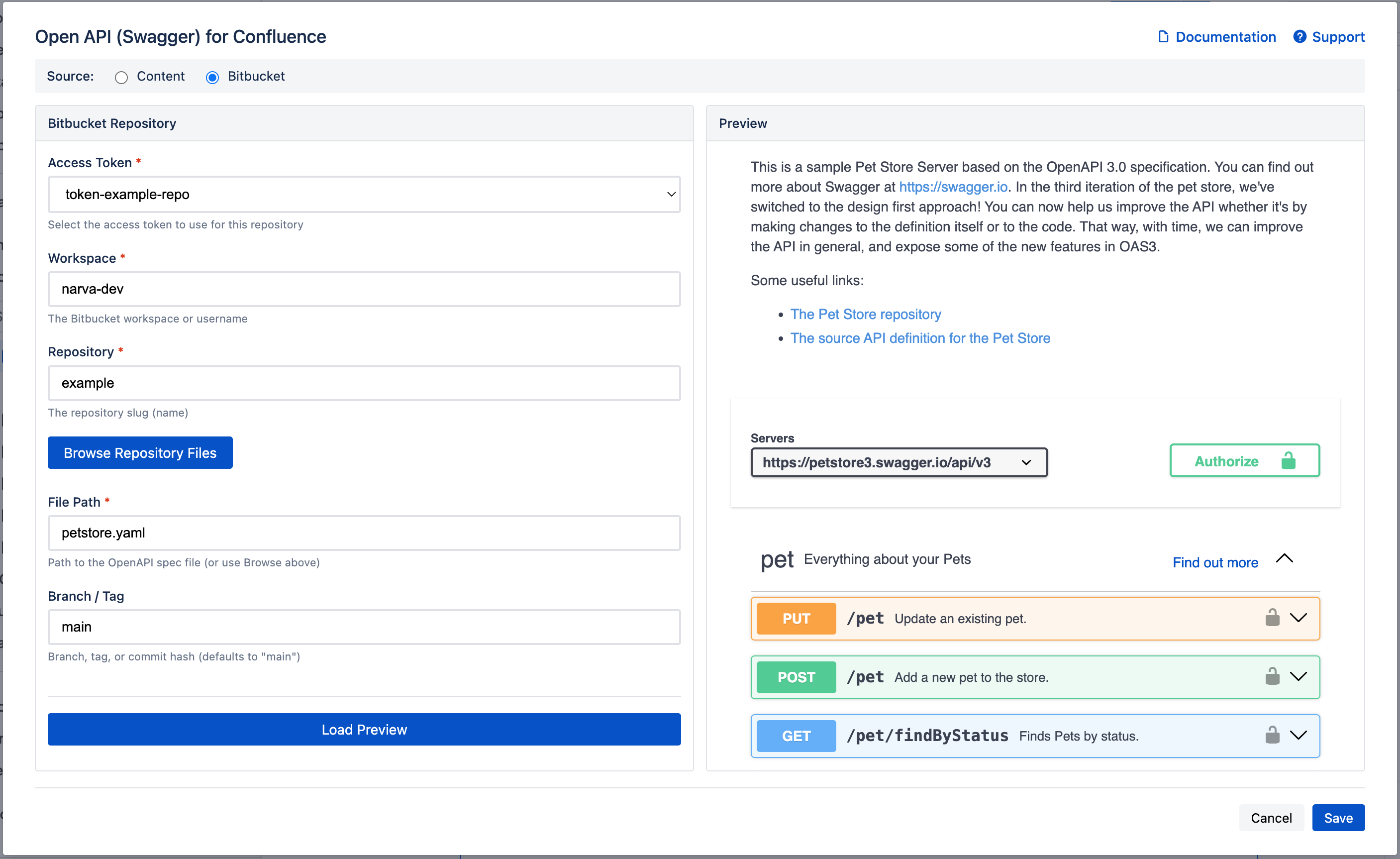
/openapiand select 'OpenAPI - Swagger UI' -
Select Bitbucket as source (and saved token by name). It should be able to find the OpenAPI specification file stored in Bitbucket
-
Finally, save the macro and publish the page 🎉