
Open API (Swagger) for Confluence
Build interactive API documentations hub in Confluence using OpenAPI specifications and Swagger UI.
Install
You can install the app from Atlassian Marketplace: Open API (Swagger) for Confluence FREE
User Guide
Open a Confluence page in edit mode
Type
/openapior click + → OpenAPI - Swagger UIThe macro will appear with a "Configuration Required" message
Configuring OpenAPI Spec
There are two sources to configure OpenAPI in Confluence:
Write or paste OpenAPI specifications directly in app using app editor
The second option is recommended as it will automatically sync the specifications from Bitbucket and will always be up-to-date.
Using App Editor:
Click the pencil icon on the macro to open the configuration panel
You'll see a split-pane editor:
Left: Write or paste your OpenAPI/Swagger specification (JSON or YAML)
Right: Live preview of your API documentation
Click Load Sample to see an example spec
Once your spec looks correct in the preview, click Save
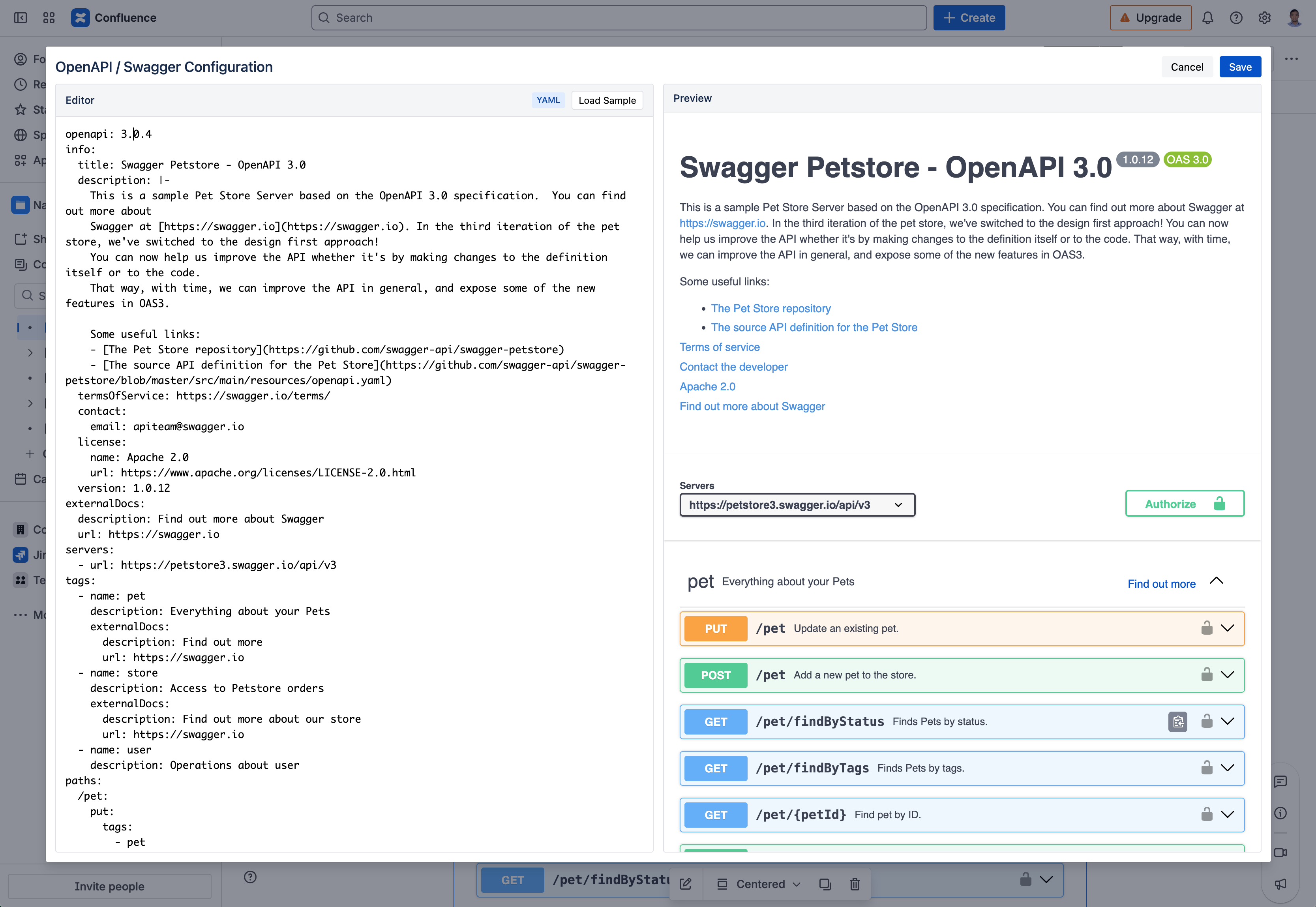
Open API edit and preview example in Confluence
Supported Formats
Format | Example Start |
|---|---|
YAML |
|
JSON |
|
The editor auto-detects your format — no configuration needed.
Tips
Get your spec: Export from tools like Swagger Editor, Postman, or your API framework
Large specs: The macro handles full OpenAPI 3.x and Swagger 2.0 specifications
Multiple APIs: Add multiple macros to document different services on one page