
You can use templates in Jira when creating issues with Issue Templates Pro - Description Templates for Jira app. Define standard templates with issue summary and description fields, and the templates will be automatically applied when users create new issues.
If you haven’t installed the app, refer to https://narva.atlassian.net/wiki/spaces/IT the guide for installation help.
Once the app is installed, setting up templates is easy.
-
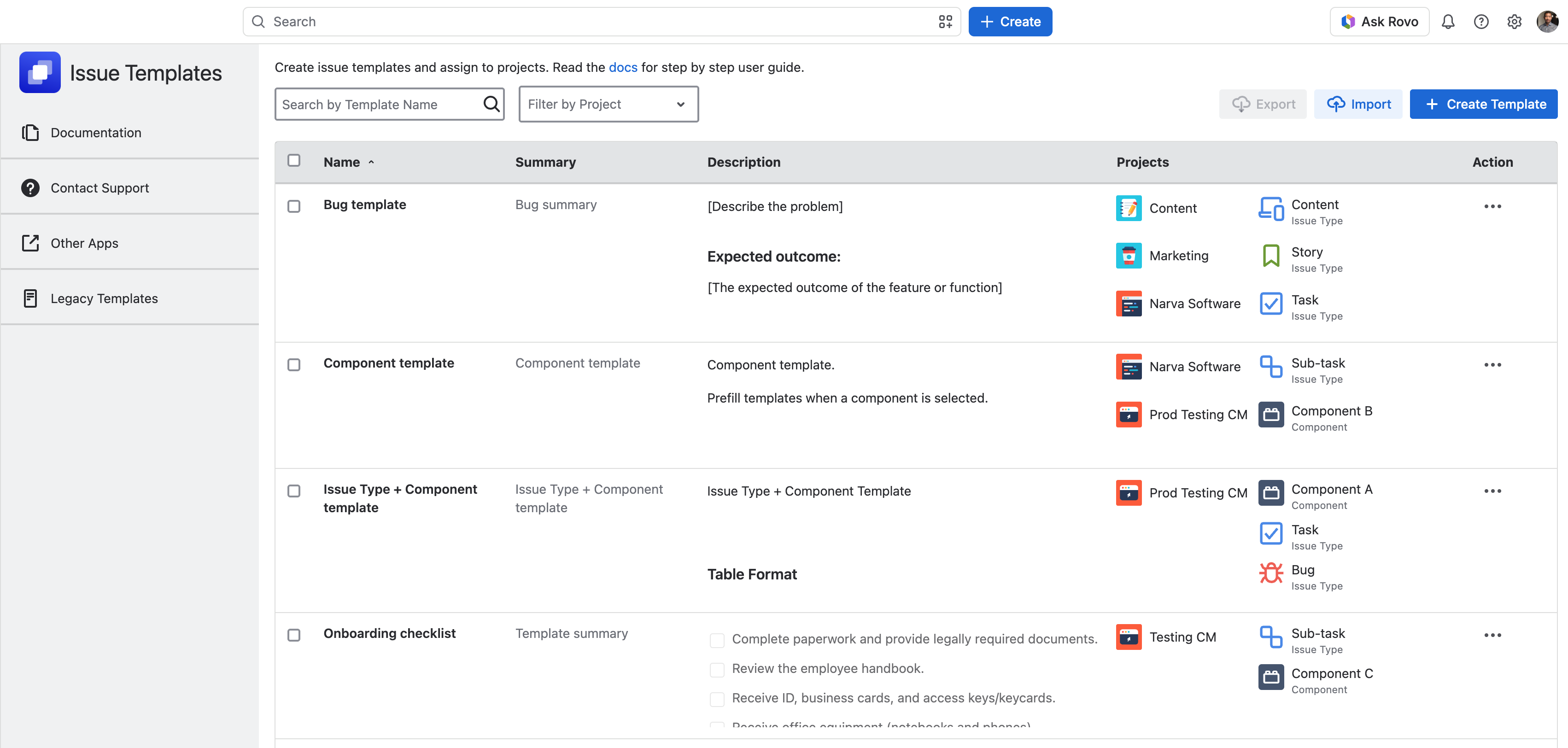
Go to Sidebar → Apps → Issue Templates
-
Click on Create Template and an add template window will open.
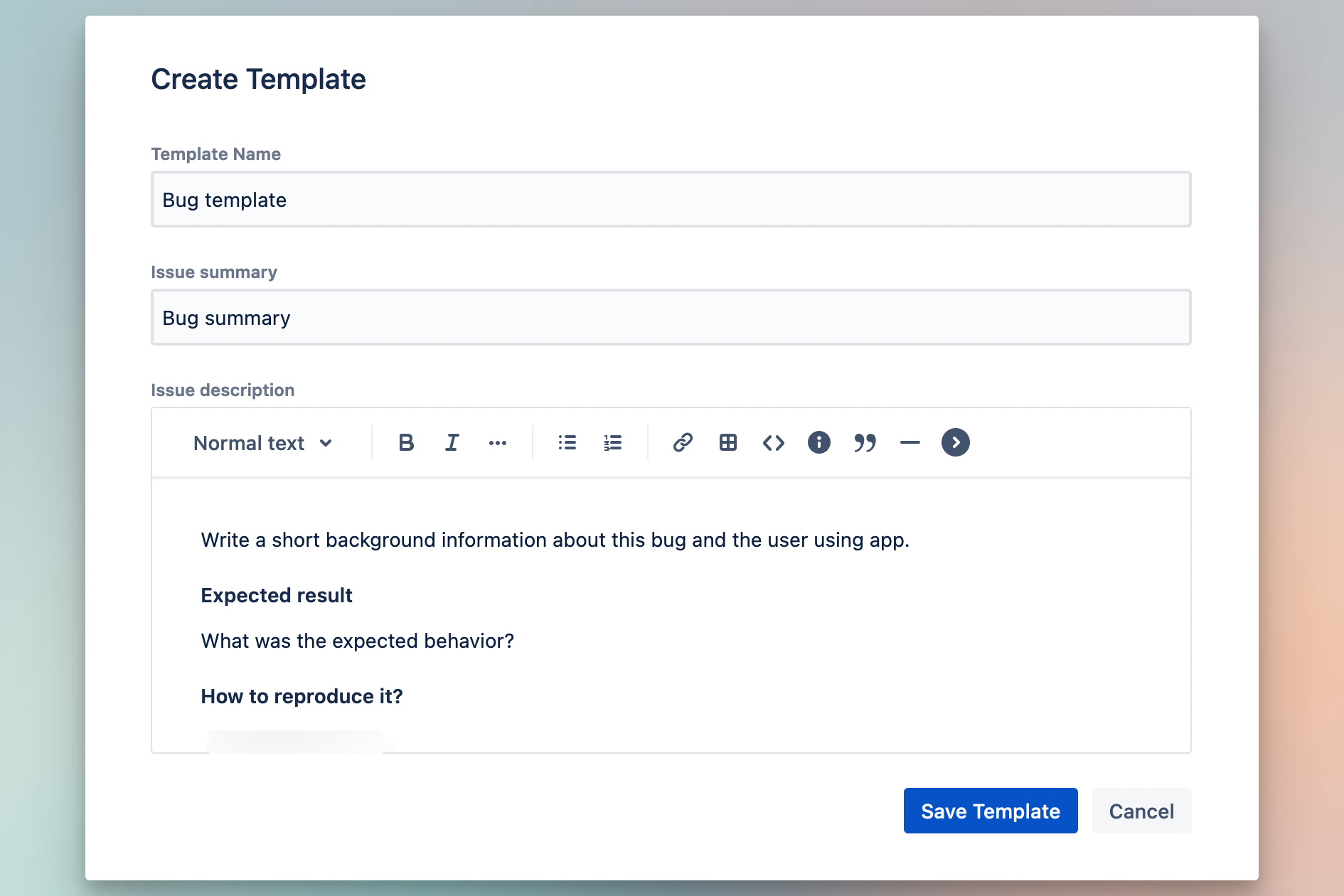
Enter template details in the form. The template name and issue description fields are required, whereas the summary field is optional.
Using Issue Templates
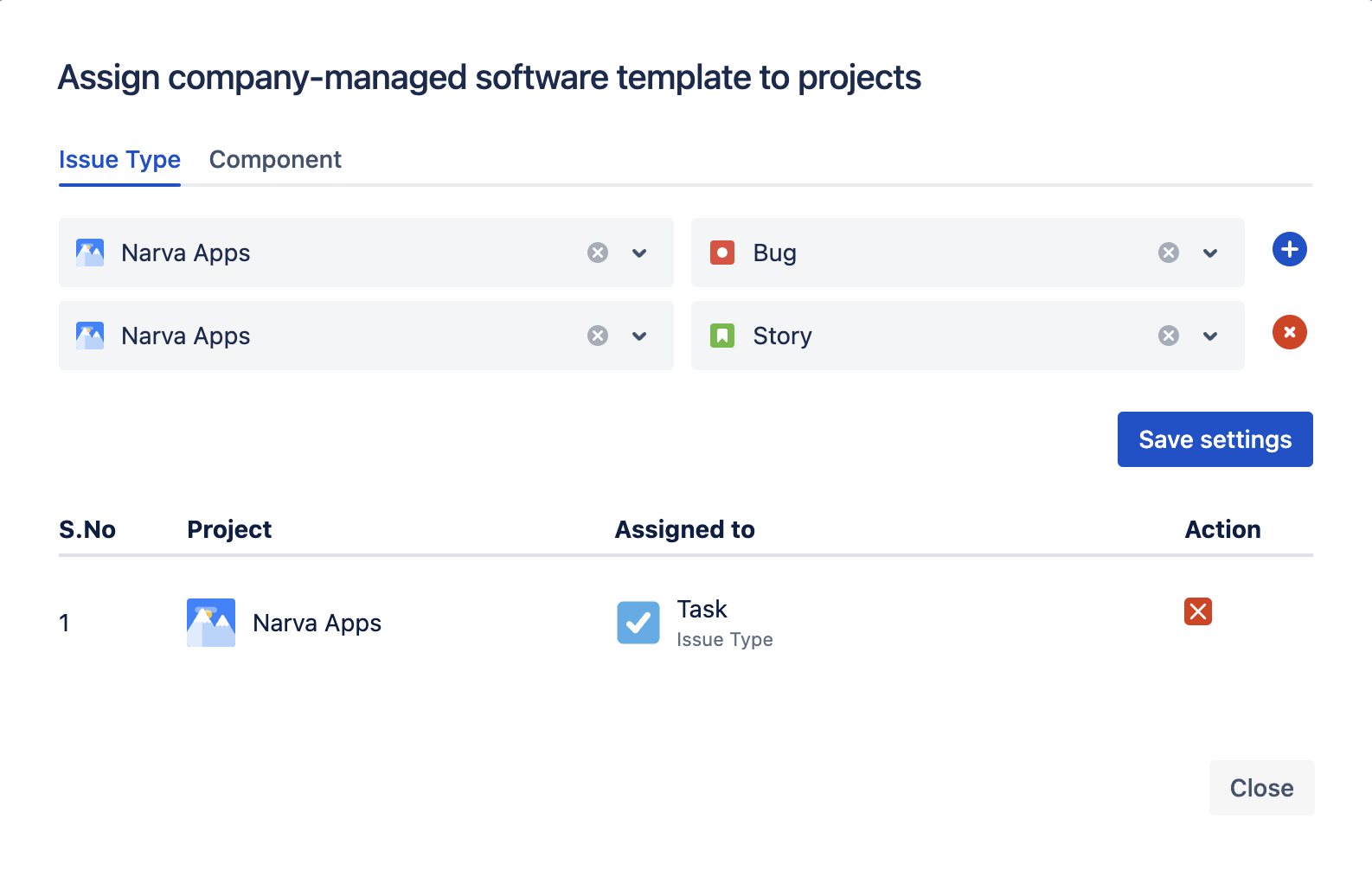
Once a template is created, you can now assign it to project and issue type pairs. In order to activate the template, click on Assign to project.
Assign Template to Issue Type
In the next window, you can select project and issue type (e.g Story, Task, Sub-task) or select project and component. Stay on ‘Issue Type’ tab . In order to assign a template to multiple projects and multiple issue types at once, click on + (add) button and click on Save settings.
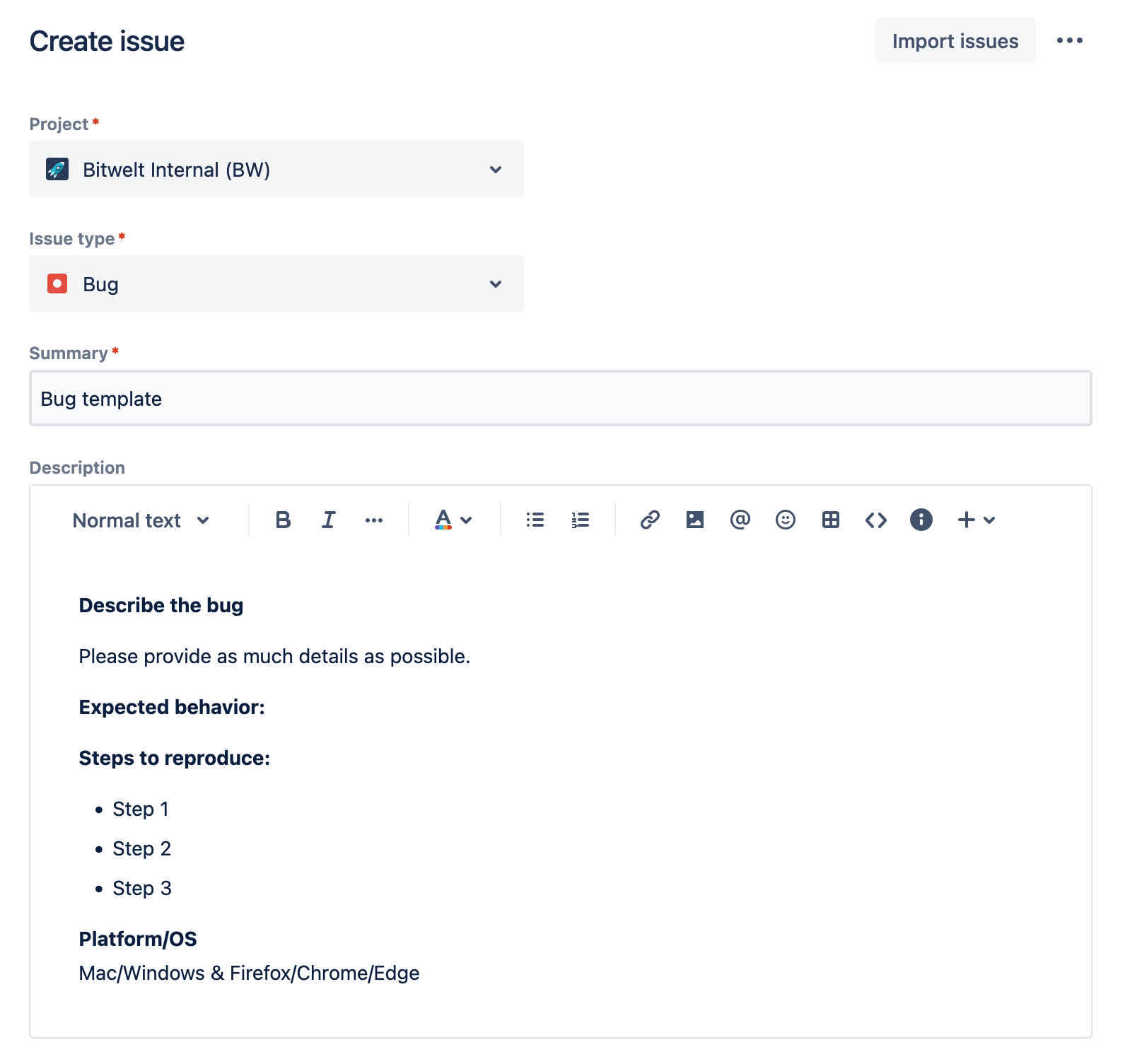
Once this step is complete, templates will be activated, which means template fields will be automatically pre-filled when users try to create new issues.
To test it out, try to create an issue:
If you want to deactivate a template, simply go back to project settings and remove the assignment setting.
Manage Templates
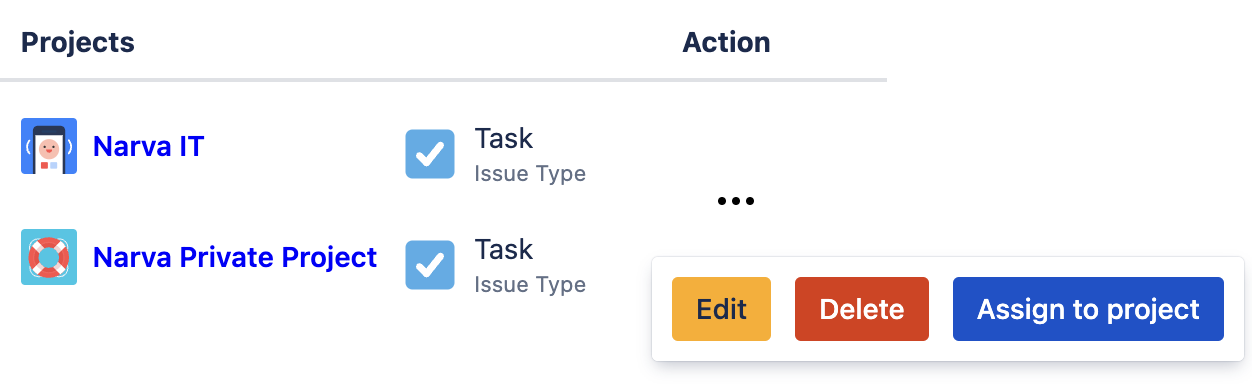
Use the action button (…) to edit the existing templates or delete them entirely if a template is no longer needed.
Templates Permissions
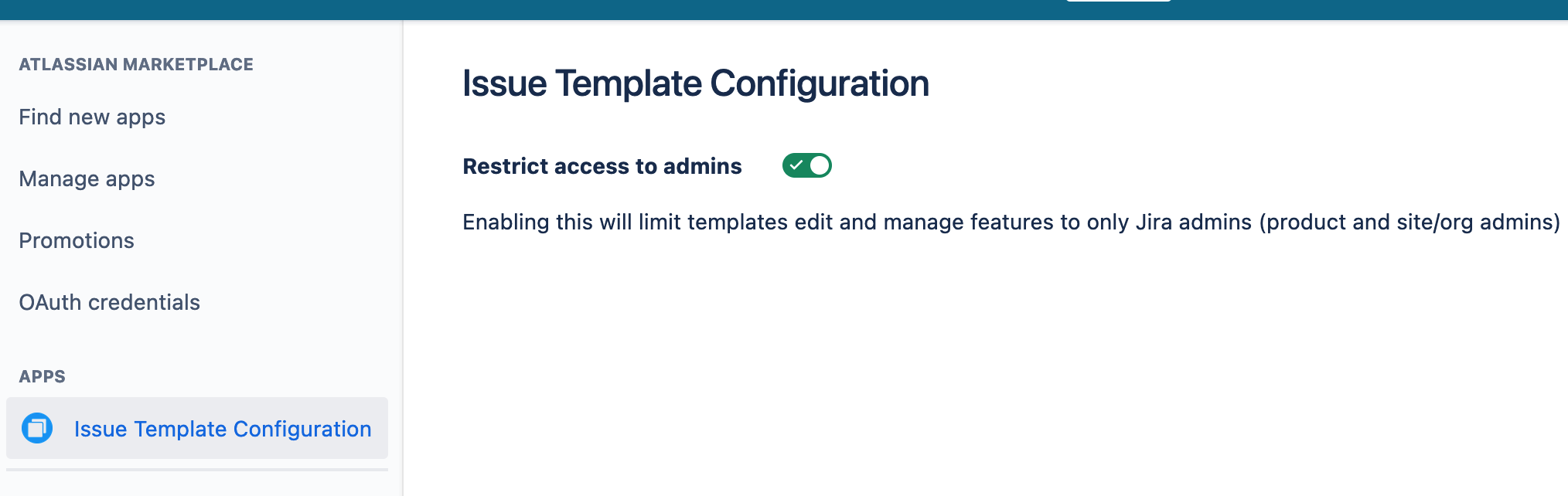
You can now restrict template management to only admins. This will make main templates app still visible to users in read-only mode, but they will not be able to edit and assign templates.
Admins include Jira administrator, site/organization admins and trusted users. You can check who is admin in Jira configuration from Settings → System → Global Permissions. Users that are in any groups under the Administer Jira section are considered administrators.
In order to enable this feature:
-
Go to Settings → Marketplace Apps → Manage apps
-
Click on Issue Templates Pro Configuration from the left sidebar
Further Guides
Known Issues and Limitations
This app has some limitations and possible workarounds. We have documented them in a dedicated page here: Known Issues and Limitations