
HTML Macro for Confluence keeps an audit log of security-relevant changes, so Confluence admins can see the history of changes in security settings and HTML content.
Find audit log
-
Go to Top Nav (right side) → Settings
-
Find the HTML Macro Configuration section → Audit Log
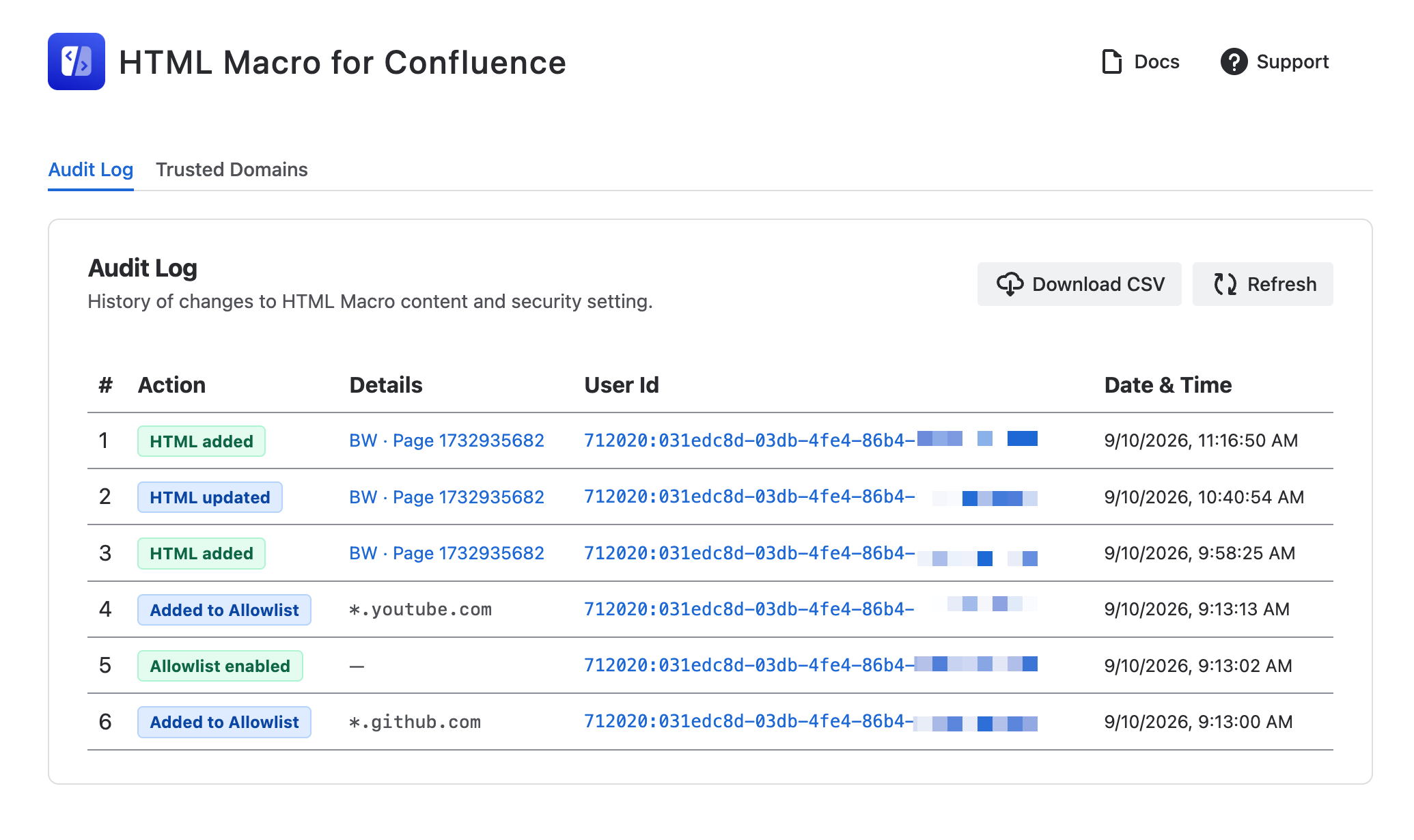
Each entry records the action, the user (account ID), the time, and the relevant details.
|
Action |
Recorded when |
Details shown |
|---|---|---|
|
HTML added |
A user inserts a new HTML macro on a page |
A link to the page the macro was added to |
|
HTML updated |
A user edits an existing HTML macro |
A link to the page the macro was edited on |
|
Allowlist enabled |
An admin turns the trusted domains allowlist on |
— |
|
Allowlist disabled |
An admin turns the trusted domains allowlist off |
— |
|
Added to Allowlist |
An admin adds a trusted domain |
The domain that was added |
|
Removed from Allowlist |
An admin removes a trusted domain |
The domain that was removed |
HTML Macro entries are recorded when the editor is saved. Note that saving the macro is not the same as publishing the page — an entry appears as soon as the macro is saved in the editor, even if the author never publishes.
Macro delete events are not currently recorded because of technical limitations.
Exporting to CSV
Click Download CSV to export the log — useful for compliance reviews, or for keeping a record outside Confluence.
The export always contains the full history with these columns:
|
Column |
Contents |
|---|---|
|
|
Row number |
|
|
The action name, as shown in the table |
|
|
Domain, or page and space details for macro changes |
|
|
Direct link to the Confluence page (macro entries only) |
|
|
Atlassian account ID of the person who made the change |
|
|
Direct link to that person's Confluence profile |
|
|
Time of the change, in your browser's time zone |
Data and privacy
-
Stored in Atlassian Cloud — audit entries are kept in Forge storage, inside your own Atlassian Cloud instance. Nothing is sent to third-party servers.
-
Account IDs only — the app records the anonymized Atlassian account ID of the person who made the change. It does not store names or email addresses, and it does not have permission to do so.
-
No macro content is stored — entries record that a macro was added or edited and on which page. The content inside the macro is never copied into the audit log.