
Using the HTML Macro for Confluence, you can embed Google Sheets directly in Confluence pages.
You can install the app from Atlassian Marketplace: HTML Macro for Confluence
Steps to embed Google Sheets in Confluence:
Get embed code from Google Sheets
-
Go to Google Sheets and find the sheet you want to embed
-
Go to File → Share → Publish to web and click Publish
-
Once published, a new tab name embed is shown.
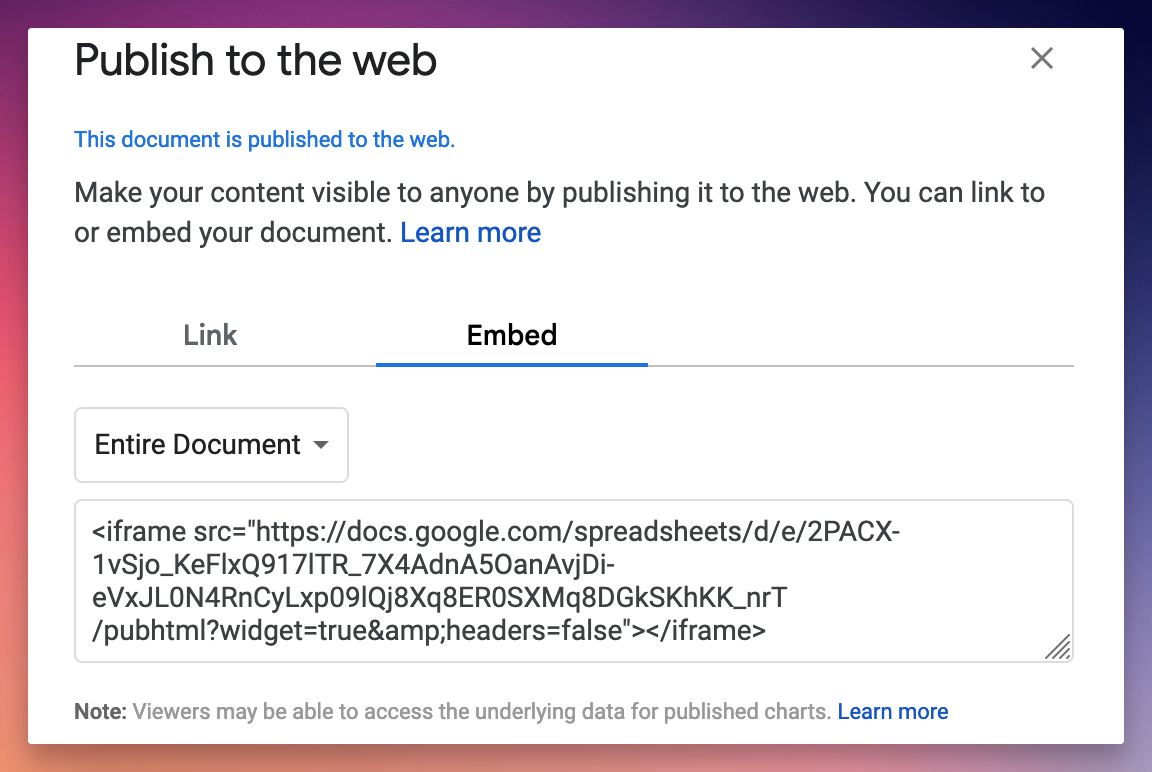
Google Sheets embed code -
Copy the shown embed code
Use the embed code in Confluence page
-
Go to page editor and type /html to open HTML & Iframe Embed macro.
-
Paste the embed code in the code block:
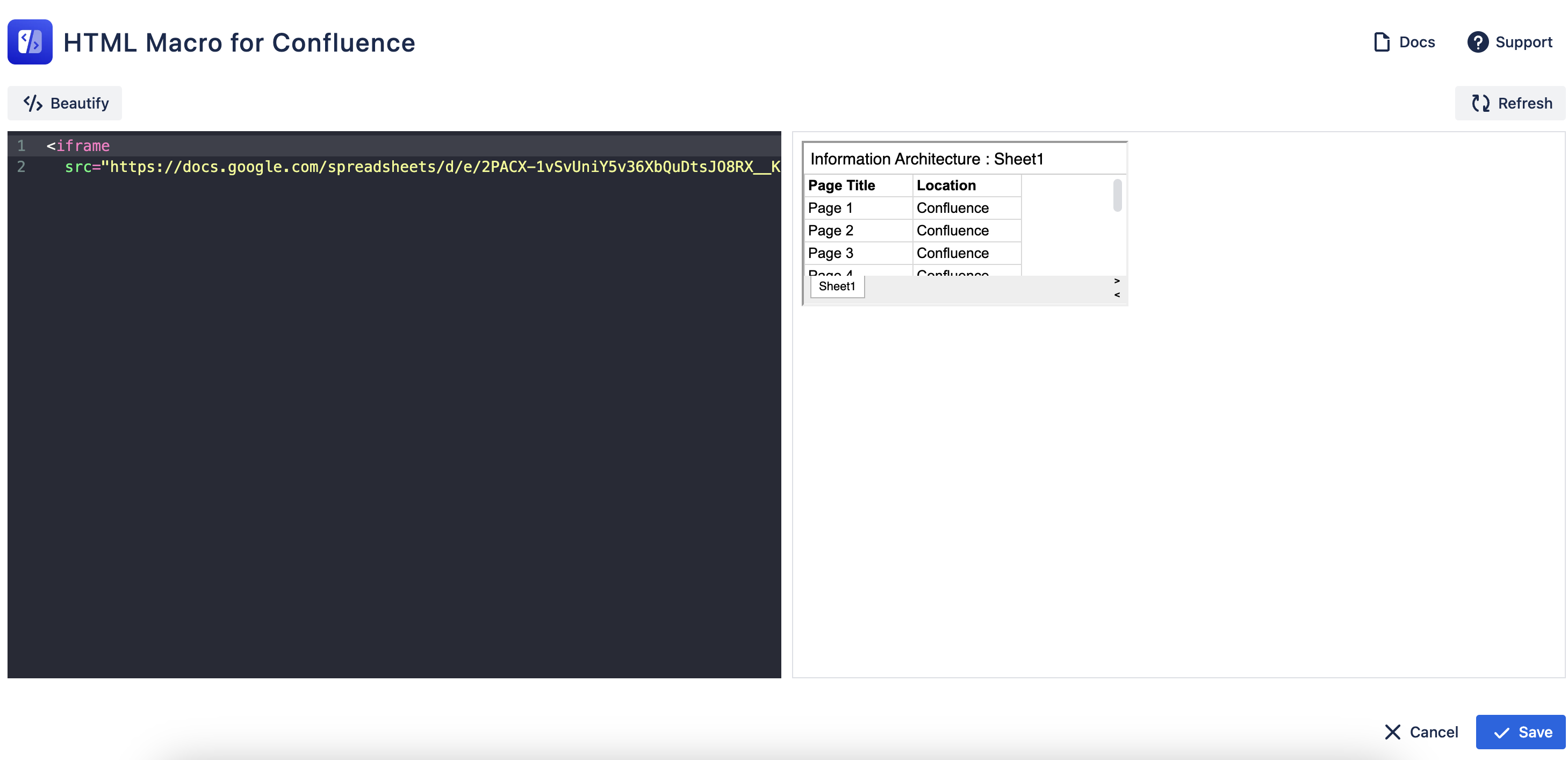
Finally, save the macro and Google Sheets will be embedded in the Confluence page.
Depending on the size of sheet contents, you can also adjust iframe parameters like height and width like below:
<iframe src="https://docs.google.com/spreadsheets/d/e/2PACX-1vSvUniY5v36XbQuDtsJO8RX__KChbqhaotsE1ftdj-t63QQ82sdzzEspTI1fTaQQfxwuvyn2s3VkOv3/pubhtml?gid=0&single=true&widget=true&headers=false"></iframe>
Please note that when a sheet is published to the web, people who have the link can access and view the contents of the sheet.