
Build interactive API documentations hub in Confluence using OpenAPI specifications and Swagger UI.
Install
You can install the app from Atlassian Marketplace: Open API (Swagger) for Confluence
User Guide
-
Open a Confluence page in edit mode
-
Type
/openapior click + → OpenAPI - Swagger UI -
The macro will appear with a "Configuration Required" message
Configuring OpenAPI Spec
There are two sources to configure OpenAPI in Confluence:
-
Write or paste OpenAPI specifications directly using the in-app editor
-
Git Integration (recommended)
The second option is recommended, as it will automatically sync the specifications from Bitbucket and will always be up-to-date.
Using App Editor:
-
Click the pencil icon on the macro to open the configuration panel
-
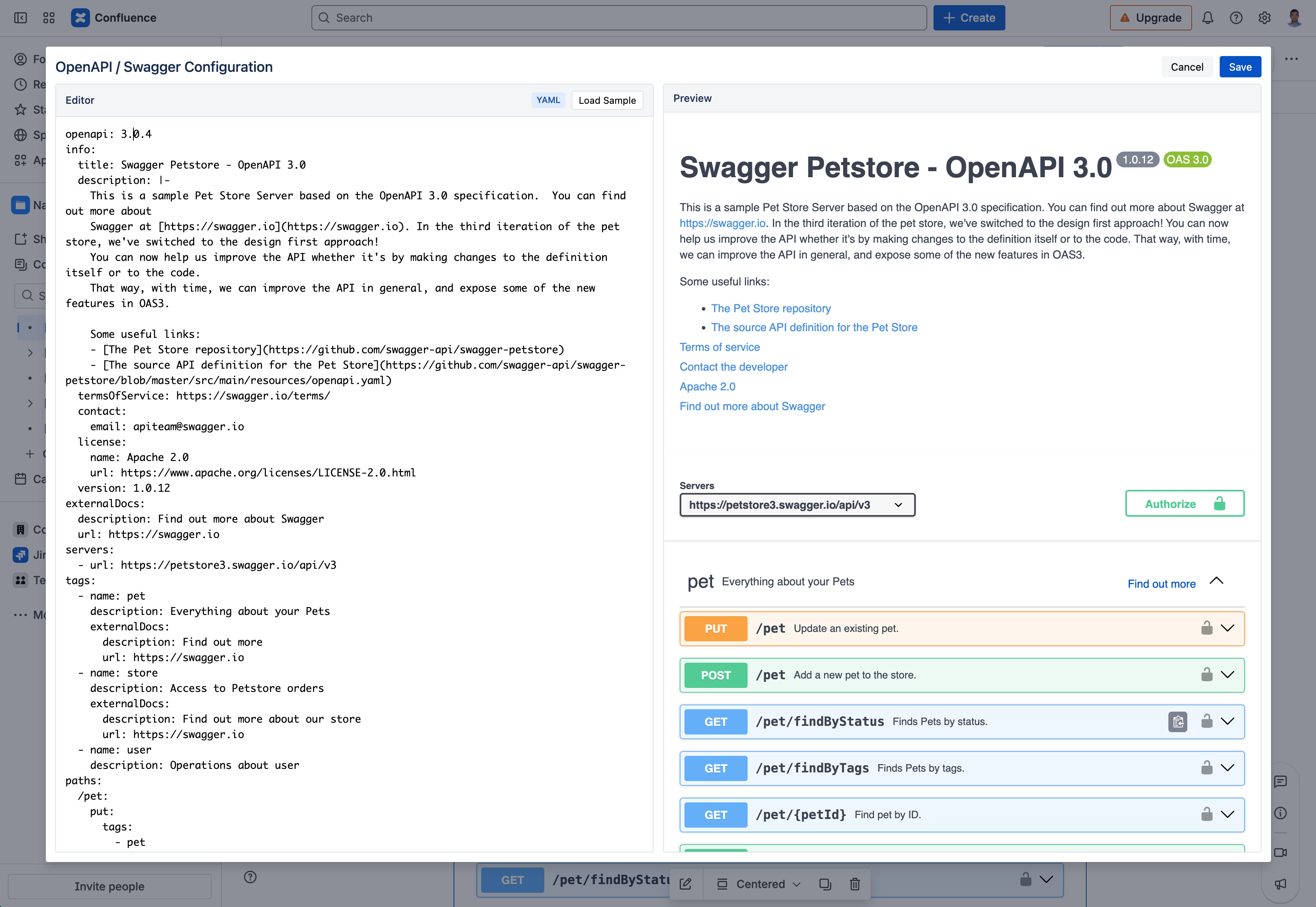
You'll see a split-pane editor:
-
Left: Write or paste your OpenAPI/Swagger specification (JSON or YAML)
-
Right: Live preview of your API documentation
-
-
Click Load Sample to see an example spec
-
Once your spec looks correct in the preview, click Save
Supported Formats
|
Format |
Example Start |
|---|---|
|
YAML |
|
|
JSON |
|
The editor auto-detects your format — no configuration needed.
Tips
-
Get your spec: Export from tools like Swagger Editor, Postman, or your API framework
-
Large specs: The macro handles full OpenAPI 3.x and Swagger 2.0 specifications
-
Multiple APIs: Add multiple macros to document different services on one page