
If your API is protected with OAuth 2.0, readers can sign in from the Authorize button of the OpenAPI macro and then call your API with Try it out. The app supports the Authorization Code flow with PKCE and works with identity providers such as Microsoft Entra ID, Okta, Auth0, Salesforce and Google.
All you need to do is register one redirect (callback) URL with your identity provider. The URL is the same for every page and every macro on your Confluence site.
Available from version 5.2.0. Your site receives the update automatically.
Step 1: Copy the redirect URL (administrator)
-
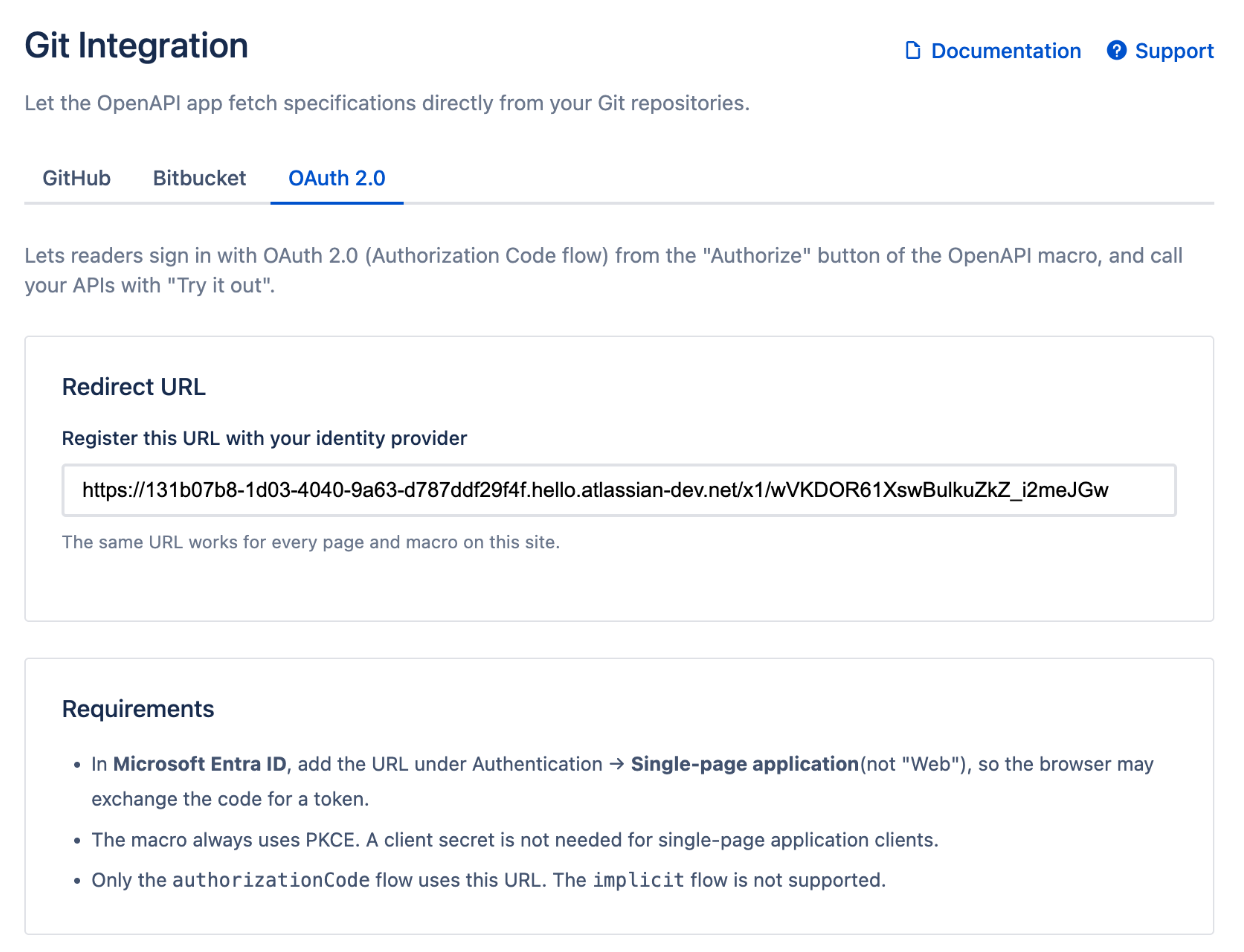
In Confluence, go to Settings → Apps → OpenAPI Git Integration and open the OAuth 2.0 tab.
-
Copy the Redirect URL. Clicking the field selects the whole URL.
Step 2: Register the URL with your identity provider
Add the URL as a redirect URI (sometimes called callback URL) in the app or client registration of your identity provider. Notes for common providers:
|
Provider |
Where to add the URL |
Notes |
|---|---|---|
|
Microsoft Entra ID |
App registration → Authentication → Add a platform → Single-page application |
Use Single-page application, not "Web". No client secret is needed. |
|
Salesforce |
Connected app → Callback URL |
Also set up CORS (see below). You can turn off Require Secret for Web Server Flow, as the app uses PKCE. |
|
|
OAuth client (type Web application) → Authorized redirect URIs |
Google requires the client secret, so enter it in the Authorize dialog. |
|
Okta, Auth0 and others |
Application → Sign-in redirect URIs / Allowed Callback URLs |
Prefer a single-page application type with PKCE. |
Step 3: Describe the OAuth flow in your specification
Use the authorizationCode flow in the securitySchemes of your OpenAPI specification:
components:
  securitySchemes:
    oauth2:
      type: oauth2
      flows:
        authorizationCode:
          authorizationUrl: https://login.example.com/oauth2/authorize
          tokenUrl: https://login.example.com/oauth2/token
          scopes:
            api.read: Read access to the API
security:
  - oauth2: [api.read]
You do not need to put the redirect URL into the specification. Extensions such as x-oauth2-redirect-url are not needed and are ignored.
Step 4: Sign in from the macro
-
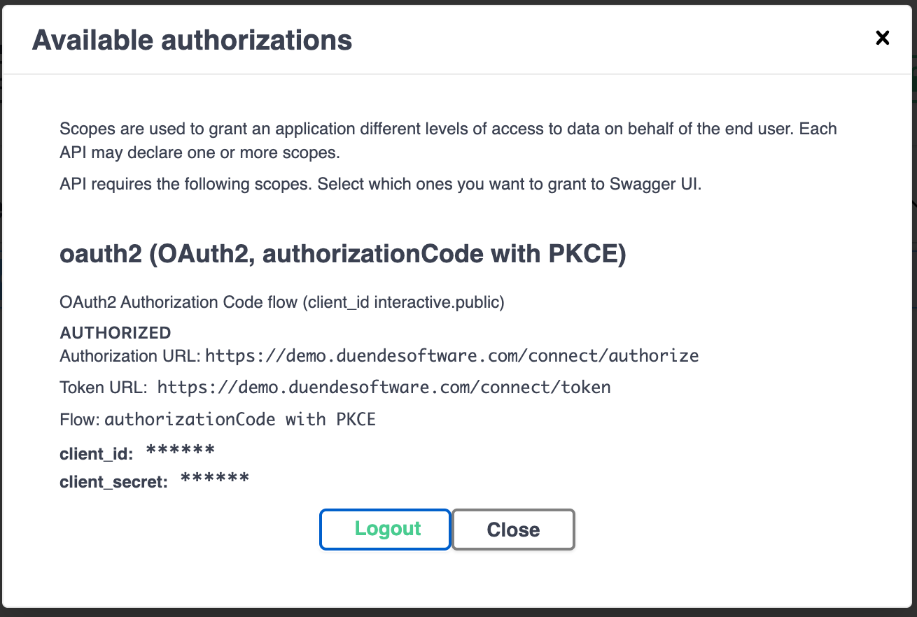
On a page with the OpenAPI macro, click Authorize.
-
Enter your client_id. Leave client_secret empty unless your provider requires it.
-
Select the scopes and click Authorize. A sign-in window opens.
-
Sign in with your identity provider. The window closes by itself and the dialog shows Authorized.
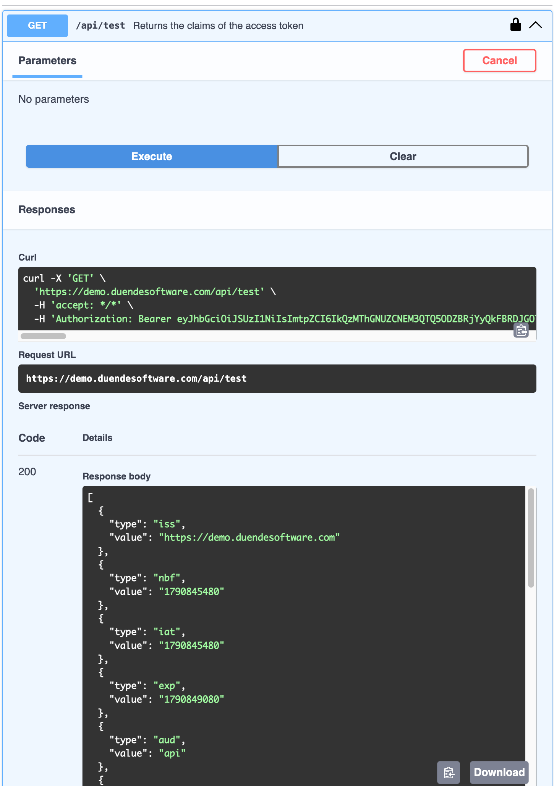
Now use Try it out on any operation. Swagger UI sends the access token in the Authorization header.
Allow requests from Confluence (CORS)
Unlike tools such as Postman, the macro calls your identity provider and your API from the browser. Both must allow requests from the domain Confluence serves the macro from:
https://*.cdn.prod.atlassian-dev.net
-
Microsoft Entra ID allows this automatically for single-page application clients.
-
Okta, Auth0 and others: add the domain to the allowed origins (CORS) of your application, for example Trusted Origins in Okta or Allowed Origins (CORS) in Auth0.
-
Salesforce: in Setup → CORS, turn on Enable CORS for OAuth endpoints and add the domain above as an allowed origin.
-
Your own API must return CORS headers for that domain so that Try it out can read the response.
How it works and security
-
One stable redirect URL. Your identity provider sends the sign-in window to the app's redirect URL. The app hands the authorization code to the macro that started the sign-in, and the macro exchanges it for a token in your browser.
-
PKCE on every sign-in. A stolen authorization code cannot be exchanged without the secret value that only the macro in your browser knows.
-
Short-lived. The authorization code is kept for at most 10 minutes inside the Atlassian Forge environment and can be picked up only once.
-
Tokens stay in your browser. Access tokens are never stored by the app. Signing out or reloading the page removes them.
Troubleshooting
"redirect_uri_mismatch" or "AADSTS50011: The redirect URI … does not match"
The redirect URL is not registered with your identity provider, or not exactly. Copy it again from the OAuth 2.0 settings tab.
"AADSTS9002326: Cross-origin token redemption is permitted only for the 'Single-Page Application' client-type"
In Microsoft Entra ID, the URL was added under the "Web" platform. Add it under Single-page application instead.
"Auth Error: Failed to fetch" or "TypeError: Failed to fetch"
The browser blocked the token request or the API call because of CORS. See Allow requests from Confluence (CORS).
"invalid_client" or "client_secret is missing"
Your provider requires a client secret for this client. Enter it in the Authorize dialog, or use a client type that supports PKCE without a secret.
"[Authorization timed out]: the sign-in was not completed"
The sign-in window was closed or the sign-in took longer than 5 minutes. Click Authorize again.
The implicit flow does not work
Only the authorizationCode flow uses the redirect URL. The implicit flow is deprecated by OAuth 2.0 best practices and is not supported; switch to authorizationCode.