
If you use custom labels, you can now manage custom label fields along side Jira labels.
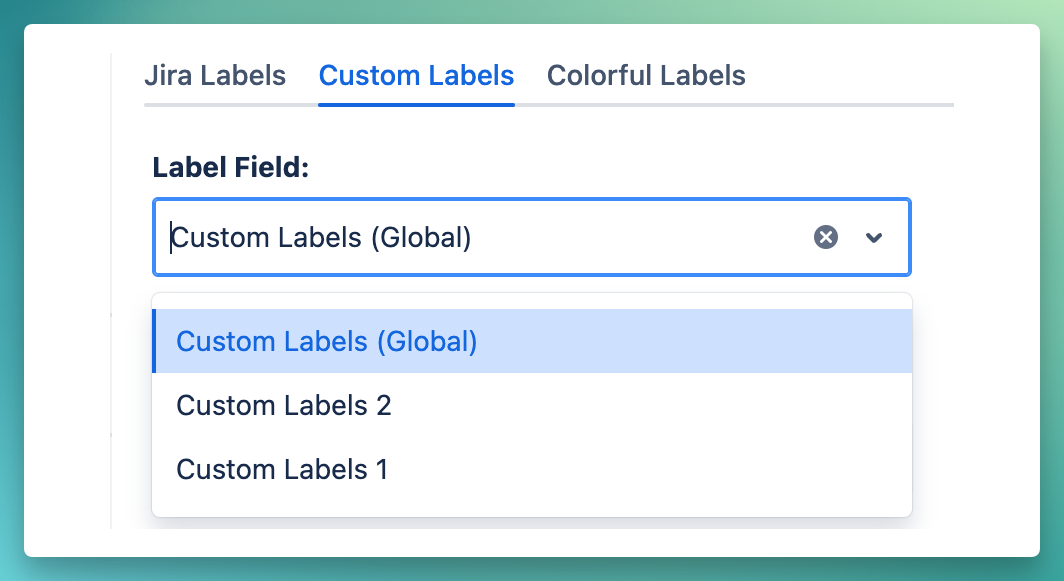
Select a Custom Field
-
Go to Top Nav → Manage Labels → Custom Labels
-
Select a Custom Label Field
Manage Custom Labels
Once a label field is selected, you can manage labels with similar interface to default label management.
Key features:
-
Create labels and quickly add to multiple issues
-
View issue counts, projects and more
-
Search labels, filter by projects or use JQL for advanced search and filtering
-
Use rename, bulk delete and merge to save time
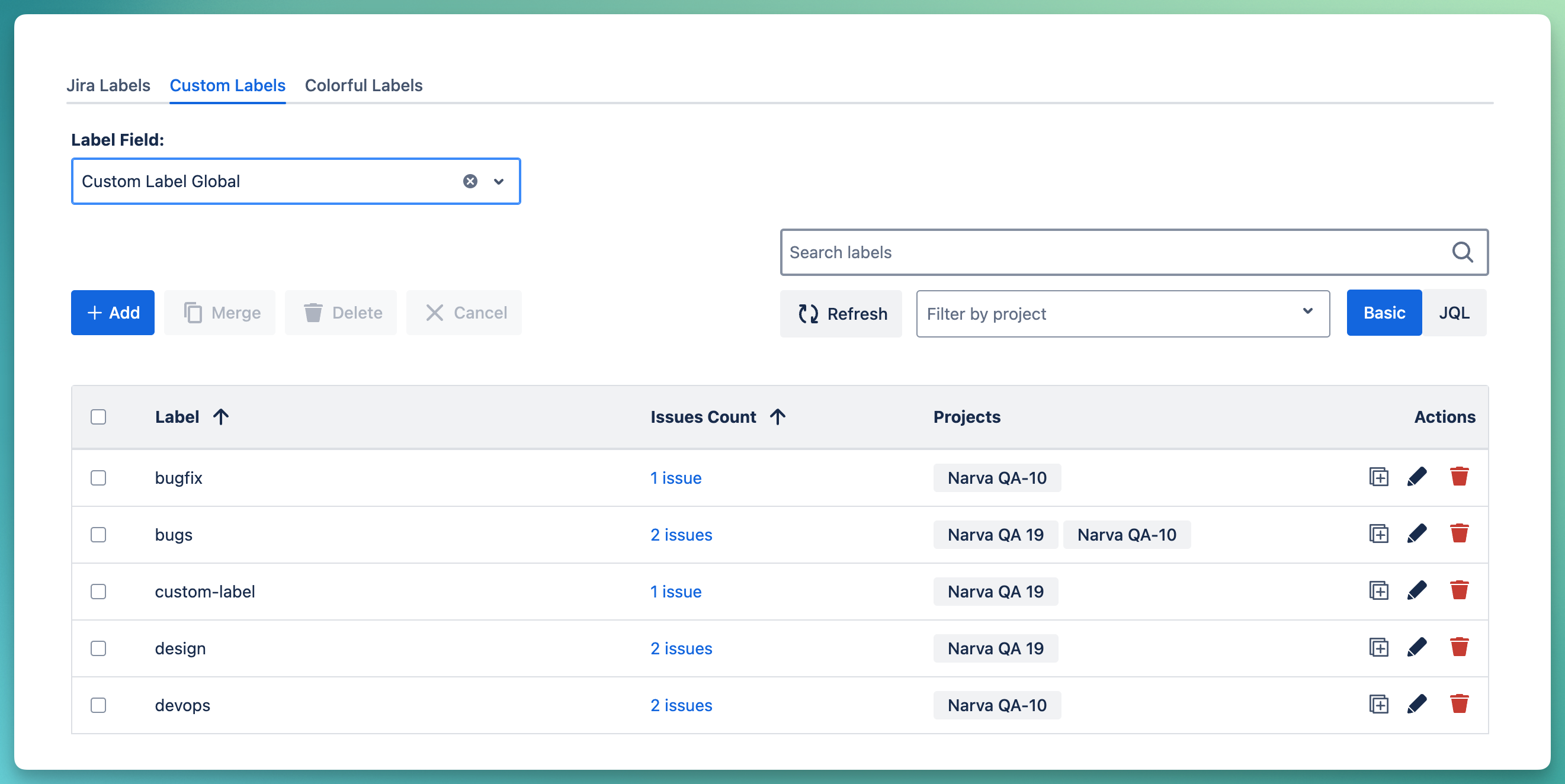
You can also seamlessly switch to another custom field as needed.